

A project estimate is waiting for approval, your office manager is working from home, and a field employee needs the latest customer file before walking into a job. If the answer is texting documents back and forth, hoping everyone saved the right version, or waiting until they return to the office, it is time for a better system. A mobile office setup service gives small businesses a practical way to work from the field, home, client sites, and the office without turning every remote task into an IT emergency.
For DFW businesses, mobility is not about handing everyone a device and calling it remote work. It is about creating dependable access to the files, software, communications, and backup systems your team needs to get paid and keep customers moving forward.
What a mobile office setup service actually solves
A mobile office should feel like an extension of your business, not a pile of disconnected apps. Employees need to know where files live, which version is current, how to communicate with customers, and what to do when an internet connection is weak or a device goes missing. Owners need confidence that confidential documents are protected and that work does not stop because one person is out of the office.
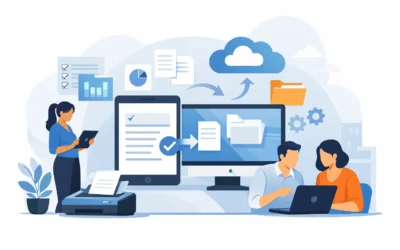
The right setup connects cloud storage, business email, calendars, shared documents, line-of-business software, and secure remote access. It can also include digital forms, electronic signatures, scanning workflows, and automatic backups. The exact mix depends on how your company operates. A contractor may need job photos, work orders, and estimates on site. A professional office may need secure client files and scheduling access. A hospitality business may need managers to review reports and respond to staffing issues away from the property.
The goal is simple: the work should follow the employee, while business controls stay in place.
Start with workflows, not software
Small businesses often start by asking which cloud platform or app they should buy. That question matters, but it comes second. First, look at how information moves through your business on a normal day.
Where does a new lead go after the first call? Who creates the estimate? How does an approved job become an invoice? Where are photos, signed forms, receipts, and customer notes stored? When several people touch the same project, where does confusion usually start?
These answers reveal the real gaps. If staff members save documents on separate computers, the first priority may be shared storage and clear folder permissions. If customer communication is scattered across personal accounts, business email and contact management may come first. If your team re-enters paper forms at the end of every day, digital forms and a paperless workflow may deliver the fastest return.
A capable provider should map these steps before recommending technology. Buying more tools than your team will use creates monthly costs and frustration. Trying to force one low-cost app to handle every function can create even more work. The best fit is usually a focused set of tools that people can learn quickly and use consistently.
Build secure access without slowing people down
Convenience and security are both necessary. If access is too difficult, employees will create workarounds, such as sending files through personal email or saving customer information in unapproved locations. If security is ignored, a lost device or weak password can expose data that should never leave your control.
A mobile office setup service should establish who can access what, from where, and under what conditions. That typically means individual user accounts, strong passwords, multi-factor authentication, and permission levels based on job responsibilities. Accounting records should not be open to every user. Likewise, a field employee should be able to retrieve the job information needed to serve a customer without gaining access to unrelated personnel or financial files.
Device management is another practical consideration. Company-owned devices offer more control, but they require purchasing, setup, and ongoing oversight. Allowing staff to use personal devices can reduce upfront costs, but it requires clear policies and stronger safeguards. There is no one right answer. A five-person office with low-risk documents may choose a different path than a company handling medical, legal, financial, or sensitive customer data.
Make backups part of the mobile office plan
Cloud-based work does not automatically mean your data is fully protected. Files can be deleted, overwritten, synchronized incorrectly, or affected by a compromised account. Your business still needs a recovery plan.
A smart setup uses automatic backups that preserve important business data beyond the day-to-day working copy. It also defines what happens if a team member accidentally deletes a folder, loses access to an account, or leaves the company. Offboarding matters just as much as onboarding. When someone leaves, their access should be removed promptly, their business files should remain available, and customer conversations should not disappear with a personal inbox.
Test the process occasionally. A backup that has never been checked is only a promise. Restoring a sample file, confirming access permissions, and reviewing account ownership can prevent a small mistake from becoming a painful shutdown.
Give employees a system they will actually use
The biggest mobile-office problem is often not technical. It is inconsistency. One employee uploads files to the shared drive, another keeps them on a desktop, and a third sends everything through text messages. The result is duplicate work, missed updates, and a lot of time spent asking, “Which one is the latest?”
Training turns a collection of tools into an operating system for your business. Employees should understand the agreed process for saving files, naming documents, sharing information, reporting suspicious messages, and accessing support. Keep the guidance simple and specific to their jobs. A one-page process for submitting a digital work order is more useful than a generic lecture about cloud technology.
It also helps to appoint one internal point person who can reinforce the process and flag issues early. That person does not need to become your IT department. They simply help make sure the system reflects real work instead of becoming another abandoned initiative.
Plan for unreliable internet and real-world conditions
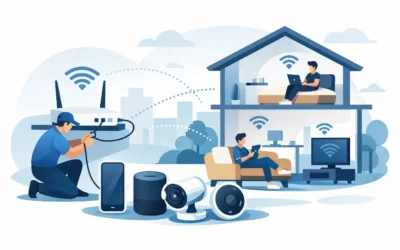
North Texas teams do not always work from a quiet office with perfect Wi-Fi. They work at job sites, in customer locations, from home, and while moving between appointments. Your mobile setup needs to account for weak connections, temporary outages, and the occasional location with no reliable signal.
Some apps offer offline access and sync changes once a connection returns. That can be valuable for field work, but it needs testing. Large design files, video uploads, and complex databases may not perform well outside a strong connection. In those cases, the better answer may be a different workflow, such as uploading media at the office or using a managed connection option for key employees.
Avoid assuming every remote task should happen in real time. Identify the work that truly requires live access and the work that can be queued, completed offline, or handled through a simpler process. That keeps your mobile office useful rather than fragile.
Know when to bring in a setup partner
A basic remote-work arrangement can be handled internally when the team is small, the data is simple, and everyone is comfortable with the tools. But once multiple users, shared customer data, business software, permissions, backups, and security requirements are involved, guesswork becomes expensive.
A hands-on provider can assess your current equipment and network, configure accounts and access, migrate files carefully, set up automated protection, and train staff in plain English. TechXperts helps DFW businesses build mobile systems around how their teams actually work, rather than pushing a one-size-fits-all package.
The value is not just getting tools installed. It is having one accountable resource when access fails, a workflow needs adjustment, or an employee needs help using the system correctly. That support matters most during the first few weeks, when adoption habits are formed.
A practical first step for your business
Before choosing software, write down three tasks that become difficult when someone is away from the office. Maybe it is approving estimates, locating customer records, processing paperwork, or sharing job updates. Then identify where each task currently breaks down: access, organization, security, training, or connectivity.
That short exercise gives you a much clearer starting point than a shopping list of apps. A well-planned mobile office does more than let people work elsewhere. It gives your team the confidence to respond faster, stay organized, and keep serving customers wherever business happens.
0 Comments