
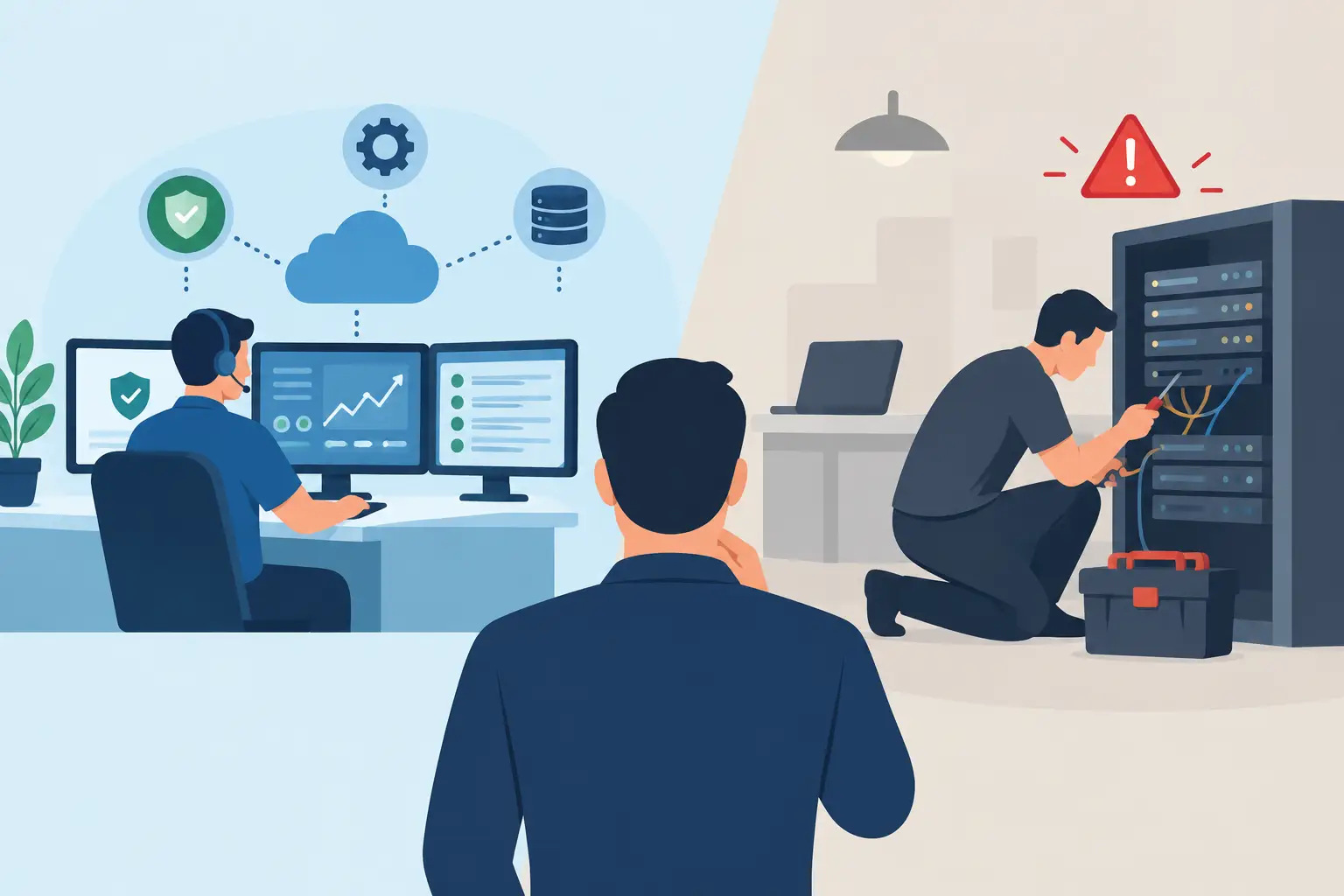
The choice between managed IT versus break fix usually becomes urgent at the worst possible moment: the office Wi-Fi drops during a busy afternoon, a shared file cannot be opened, or a suspicious email turns into a real security problem. For many DFW small businesses, the question is not whether technology needs attention. It is whether you want support only after trouble hits or a partner working to keep trouble from hitting at all.
Both approaches have a place. A small company with a few computers and little dependence on shared systems may not need a full monthly IT plan. But a growing business that relies on email, cloud files, online scheduling, payment systems, remote access, and customer data faces a different level of risk. The right answer depends on how much downtime your business can actually afford.
What Break-Fix IT Support Means
Break-fix support is exactly what it sounds like. Something stops working, you call an IT provider, they diagnose the issue, complete the repair or project, and bill for the time and materials involved.
This model can be a practical fit for one-time needs. Maybe you are moving into a new office and need a network installed. Maybe your desktop has a virus, your backup needs to be recovered, or a new employee needs access to company software. You get help when there is a defined problem, without an ongoing monthly commitment.
The advantage is straightforward: you pay when you need service. For a home user or a very small operation with simple technology, that can make financial sense.
The catch is that break-fix is reactive by design. The provider generally sees your environment after something has already gone wrong. They may fix the immediate issue quickly, but they are not necessarily monitoring whether a failing hard drive, outdated software, weak password policy, or missed backup will create the next emergency.
When Break-Fix Makes Sense
Break-fix can work well when technology is not central to daily operations, downtime is manageable, and the business has limited systems to maintain. It is also useful for specific projects where the scope is clear, such as setting up a wireless network, migrating files, installing business software, or cleaning up a security issue.
For a local contractor who works mostly in the field and keeps only a basic office setup, occasional support may be enough. The same can be true for a startup that is still building its processes and has not yet added shared cloud systems or a larger staff.
Just be realistic about the trade-off. Lower monthly spending does not always mean lower total cost. A surprise outage can lead to missed calls, idle employees, delayed invoices, lost files, and frustrated customers. Those costs do not appear on an IT invoice, but they are still real.
What Managed IT Support Means
Managed IT is a proactive service relationship. Instead of waiting for a failure, your provider regularly maintains and monitors the systems that keep your business operating. The scope varies by provider and business needs, but it commonly includes device monitoring, updates, security oversight, backup checks, help desk support, network management, and technology planning.
Think of it like routine maintenance for a work vehicle. You do not wait for the engine to fail on Interstate 20 before checking the oil. You maintain it because the vehicle is part of how you earn a living. Managed IT applies that same thinking to the systems your team depends on every day.
A managed provider should learn how your business operates. Which files must be available? Who needs remote access? What happens if the internet goes down? Are your backups actually recoverable? Are employees using personal devices to access business information? Those details matter because a generic setup rarely stays reliable as a business changes.
The Value Is Prevention and Planning
The biggest difference in managed IT versus break fix is not the payment method. It is the mindset. Break-fix solves an event. Managed IT works to reduce the number and severity of those events.
That may mean applying updates before known vulnerabilities are exploited, flagging a backup failure before data is needed, replacing aging equipment on a schedule, or helping employees spot suspicious messages before they cause damage. It can also mean planning a paperless workflow, improving cloud access for field teams, or connecting systems that currently force staff to enter the same information twice.
Managed IT also gives small businesses something larger companies often have internally: a technology roadmap. You do not need to buy every new tool that appears. You do need to know which investments will improve productivity, protect customer information, and support growth.
Comparing Cost Without Guesswork
It is easy to compare an hourly bill to a monthly managed IT fee and assume the hourly option costs less. That comparison misses the real business question: what does an hour of downtime cost your operation?
Start with your employees. If five people cannot work for two hours, you have paid for ten hours of lost labor before the repair bill arrives. Add delayed customer responses, appointments that need to be rescheduled, orders that cannot be processed, and the possibility of lost data. Suddenly, the cheapest repair call may be the expensive choice.
Managed IT makes technology spending more predictable. That helps owner-led businesses budget for support rather than hoping the next issue waits until a better month. However, predictable pricing is not a reason to sign a vague agreement. Ask what is included, what is billed separately, how urgent issues are handled, and whether onsite service is available when remote troubleshooting is not enough.
Break-fix remains less expensive when problems are genuinely rare and the business can tolerate interruptions. Managed IT usually becomes more valuable as the number of users, devices, locations, software systems, and customer-data responsibilities increases.
Security and Backups Change the Equation
A slow computer is annoying. A security incident or unrecoverable data loss can threaten the business itself.
Small businesses are often targeted because attackers expect weaker defenses and limited internal IT resources. A single compromised password, outdated system, or employee clicking the wrong attachment can create a chain of problems. Break-fix support can help clean up after an incident, but recovery is rarely as simple as removing a virus and moving on.
Managed support gives security and backups regular attention instead of occasional attention. That should include practical protections tailored to your operation, along with backup systems that are automatic, redundant, and tested. A backup that has never been checked is only a hopeful theory.
Employee training belongs in the conversation, too. Your staff does not need a lecture full of technical jargon. They need clear habits: how to identify suspicious requests, when to verify payment changes, how to use secure passwords, and who to contact when something feels off. Good IT support makes people more confident, not more intimidated.
How to Choose the Right Model for Your Business
Ask a few direct questions. How long could your business operate if your network, cloud files, or email were unavailable? Could you restore critical information today? Are employees regularly asking for help with technology? Do you have a plan for onboarding new staff, replacing aging equipment, or supporting remote work?
If the honest answers reveal uncertainty, managed IT deserves a serious look. It is particularly useful for professional offices, hospitality businesses, contractors coordinating field and office teams, and growing companies with shared data and customer-facing systems.
If your needs are limited and specific, break-fix can still be the right call. The key is not to confuse a simple environment with an unprotected one. Even a small office needs secure access, reliable backups, and a clear plan for the day something fails.
Look for Accountability, Not Just a Ticket Number
Whether you choose a managed agreement or call for project-based help, choose a provider that explains the issue in plain English and takes ownership of the outcome. You should know who to call, what is happening, and what the next step will be.
For North Texas businesses that need both urgent support and long-range guidance, TechXperts brings hands-on service together with network, cloud, backup, workflow, and employee-training expertise. That matters when technology is tied directly to how your team serves customers and grows the business.
The best IT choice is the one that lets you spend less time wondering whether your systems will hold up and more time doing the work your customers pay you to do. Start by measuring the cost of downtime honestly, then build support around the way your business actually runs.

0 Comments