
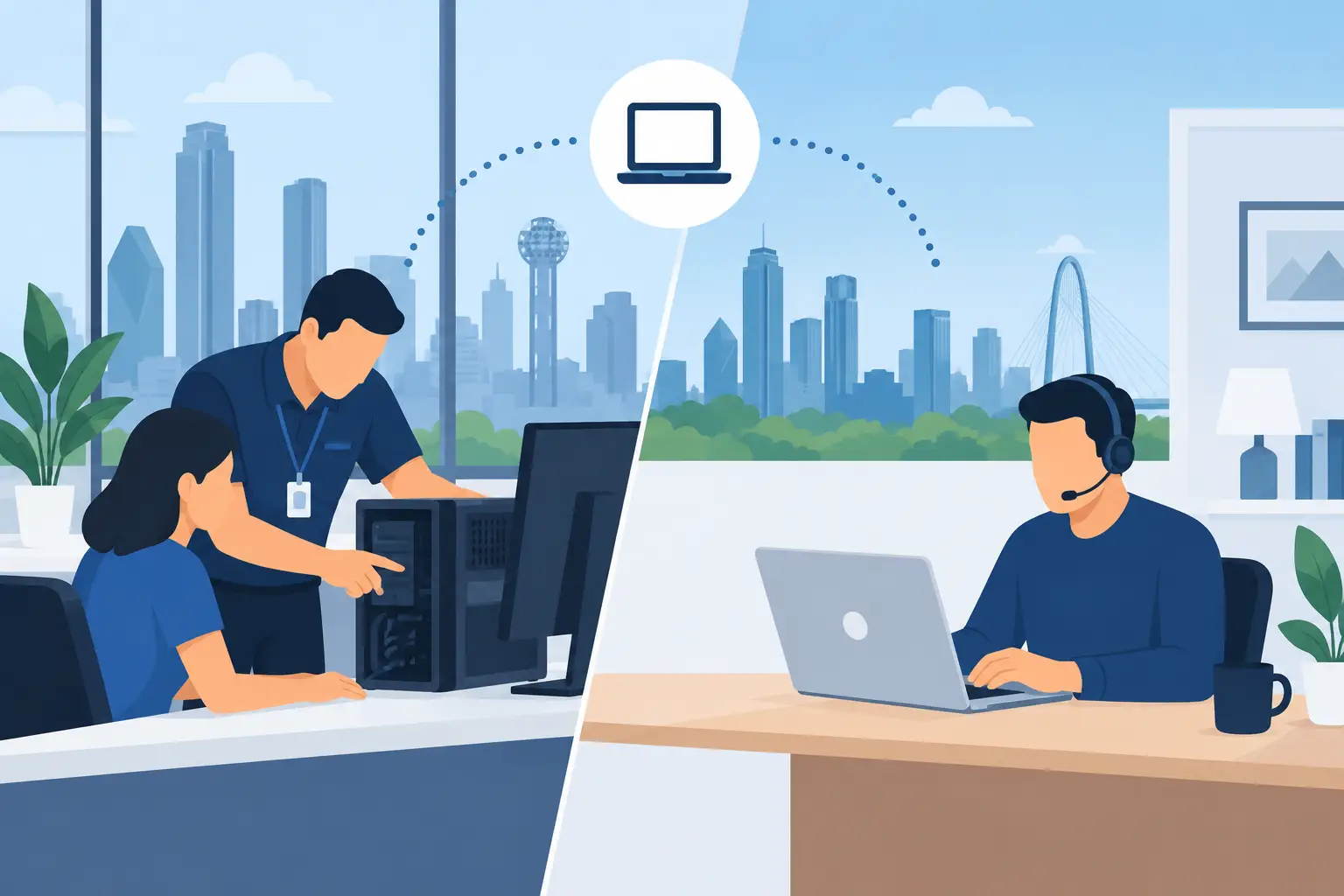
A frozen workstation at 8:15 a.m. can hold up payroll, estimates, client appointments, and an entire day’s momentum. The choice between onsite support versus remote support is not about picking a winner for every problem. It is about getting the right kind of help before a technology issue becomes an expensive interruption.
For small businesses across Kennedale, Arlington, Fort Worth, and the wider DFW area, that decision often comes down to urgency, physical access, security, and the people using the technology. Remote help can resolve many issues quickly. Onsite service brings hands-on diagnosis, repair, training, and accountability when the situation calls for someone in the room.
Onsite Support Versus Remote Support: The Real Difference
Remote support means a technician connects securely to an authorized computer or cloud system from another location. With your approval, they can investigate errors, adjust settings, remove many software problems, install updates, troubleshoot user accounts, and guide employees through a fix. It is fast because there is no drive time and no need to wait for a visit.
Onsite support means a technician comes to your home or business. That matters when the issue involves equipment, cabling, Wi-Fi coverage, printers, network hardware, backup devices, or several systems that are failing together. It also matters when the reported problem is vague: “The internet keeps dropping” or “nothing talks to the server.” Those are often not one-computer problems.
The difference is not simply screen versus site visit. Remote support is ideal for focused, accessible problems. Onsite support is built for physical infrastructure, repeated failures, complex environments, and situations where your team needs a real person to assess what is happening.
When Remote Support Is the Smart First Call
Remote support is often the fastest path back to work when a computer still starts, has an internet connection, and allows secure access. A technician can check for software conflicts, application crashes, login issues, email configuration problems, cloud-sync errors, permissions issues, and update failures without asking you to pack up equipment or wait for an arrival window.
It is especially useful for businesses with mobile staff or more than one location. An office manager in Mansfield may need help adding a new employee to a shared cloud folder, while a salesperson in Fort Worth needs assistance accessing a business application. Neither situation necessarily requires an onsite visit. A capable technician can address both while minimizing downtime for everyone else.
Remote service also works well as ongoing maintenance. Updates, security checks, account management, backup monitoring, and routine cleanup can often be handled behind the scenes or during a scheduled support window. This helps small businesses stay ahead of preventable trouble rather than waiting for a major breakdown.
That said, remote support has limits. It depends on a stable connection, a usable device, and enough visibility to diagnose the issue accurately. If a machine will not power on, the network is down, or an employee cannot explain what changed, a remote session may only confirm that an onsite visit is needed.
When Onsite Support Saves More Than It Costs
Onsite support earns its value when the problem is attached to the physical world. A weak Wi-Fi signal in the back office, a network closet with tangled old equipment, recurring printer failures, a damaged cable, or a backup device that has quietly stopped working cannot be fully evaluated through a remote screen-share session.
It is also the better choice after a serious virus incident or a suspected security problem. Cleaning one affected system remotely may not reveal whether other computers, shared files, passwords, network devices, or backups are at risk. An onsite technician can inspect the environment, identify the source, help isolate affected systems, and make practical recommendations in plain English.
For office moves, new workspaces, wireless expansion, paperless-office projects, and cloud migrations, hands-on planning prevents a lot of rework. The best solution is rarely just “buy more equipment.” It may mean repositioning access points, separating guest Wi-Fi from business devices, replacing an outdated switch, organizing file permissions, or teaching staff a simpler process.
There is another advantage that small businesses often overlook: onsite support creates a clearer picture of how people actually work. A technician can see the extra steps employees take to find files, the disconnected software that creates duplicate data entry, and the shared workstation that causes bottlenecks. Those observations can turn a break-fix visit into a practical productivity improvement.
Speed Is More Than Travel Time
It is easy to assume remote support is always faster and onsite support is always slower. That is only true when the issue is simple and clearly identified. A remote technician may solve a software problem in minutes. But several failed remote attempts on a network issue can cost more time than sending someone onsite from the start.
Ask a better question: what is the shortest route to a reliable fix? If one employee cannot access a cloud application, remote support is likely the answer. If every employee loses access to the internet at random times, the issue needs a wider investigation. A quick temporary workaround is not the same as finding the cause.
For owner-led businesses, reliability matters because there is usually no internal IT department to absorb the disruption. When your office manager is troubleshooting instead of serving customers, the business is paying for downtime whether it appears on an invoice or not.
Security and Access Need a Clear Plan
Remote access should never mean unrestricted access. A responsible provider uses approved tools, obtains permission, protects credentials, and documents what was changed. Business owners should know who can access their systems, when that access is active, and how it is removed when no longer needed.
Onsite support has security considerations too. A technician may be handling devices with customer data, financial records, employee information, and business passwords. Choose a provider that treats security as part of the job, not an optional add-on after a problem occurs.
The strongest approach usually combines both models. Remote support handles fast fixes and routine management. Onsite service addresses infrastructure, major disruptions, security concerns, and improvement projects. Together, they create coverage without forcing every issue into the same support channel.
How to Choose the Right Support Model
Start with the systems your business cannot afford to lose. If your team depends on cloud files, accounting software, online scheduling, point-of-sale tools, or a shared network, identify what happens when each one fails. Then consider how often the problem is likely to require physical access.
A home office with a few cloud-based tools may need mostly remote help, plus occasional onsite assistance for network setup, backup planning, or a serious failure. A busy professional office, contractor, hospitality business, or multi-user operation usually benefits from both remote responsiveness and an onsite resource that understands the layout, equipment, and workflow.
Also consider employee confidence. Some staff members are comfortable following remote instructions. Others lose time and get frustrated when technical steps are explained over the phone. Onsite service can include training that makes the next issue easier to handle, whether that means using secure file sharing, spotting suspicious emails, or following a backup procedure.
At TechXperts, the goal is not to sell an unnecessary visit or leave you waiting on a remote session that cannot solve the real issue. It is to match the support method to the problem, explain the options clearly, and get your people back to productive work.
The best support plan feels almost invisible on a normal day. Your systems work, your files are available, your team knows where to get help, and when trouble hits, you already know whether a remote fix or an onsite xpert is the fastest way forward.
0 Comments